Cut the Cord: How to Use TV Without Cable
Remember the days of endless channel surfing, only to find nothing good on? For many of us, that’s a distant memory, replaced by the overwhelming, yet exciting, world of streaming. If you’re tired of hefty cable bills and the commitment that comes with them, you’re in the right place. Learning how to use TV without cable is more accessible and affordable than ever before, and we’re here to guide you through it.
The shift away from traditional cable has been building for years, and by 2026, it’s practically the norm. This isn’t just about saving money; it’s about gaining control over your entertainment. You get to pick exactly what you want to watch, when you want to watch it, without being tied to a rigid schedule or paying for channels you never tune into. Let’s explore the practical steps to make the switch.
Table of Contents
how to use tv without cable: What You Need to Know
The core of ditching cable lies in streaming services. Think of them as digital channels you subscribe to, but with far more flexibility. We’ve got everything from massive platforms like Netflix and Max, offering a vast library of movies and original series, to more specialized services. For instance, if you’re a sports fan, services like ESPN+ or dedicated league passes are essential. Live TV streaming services, such as YouTube TV or Hulu + Live TV, aim to replicate the traditional cable experience by offering live channels, including local news and sports, often at a lower price point. The key is to identify which services align with your viewing habits. Do you binge-watch dramas, catch up on the latest reality TV, or need live sports and news? Your answers will dictate your subscription choices.
Choosing the Right Streaming Devices
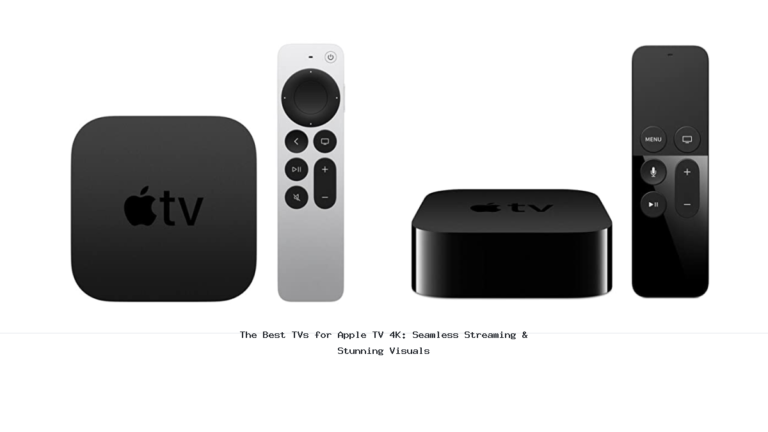
Once you’ve picked your services, you need a way to get them onto your television screen. Thankfully, this is usually straightforward. Most modern smart TVs come with built-in apps for popular streaming services, meaning you might not need any extra hardware. If your TV isn’t a smart TV, or if its app selection is limited, a streaming media player is your best friend. Devices like the Roku Streaming Stick, Amazon Fire TV Stick, or Apple TV plug into your TV’s HDMI port and connect to your Wi-Fi, giving you access to a universe of apps. These devices are generally affordable, with prices ranging from $30 to $100, and they significantly upgrade your TV’s capabilities. Consider the user interface you prefer; some find Roku’s straightforward approach best, while others lean towards Amazon’s ecosystem.
The Role of Internet Speed and Wi-Fi
Here’s the thing: streaming relies entirely on your internet connection. To enjoy smooth, buffer-free viewing, especially for high-definition or 4K content, a stable and reasonably fast internet connection is non-negotiable. We generally recommend an internet speed of at least 25 Mbps for a household with multiple users streaming simultaneously. If your Wi-Fi is spotty or slow, you might experience frustrating buffering or lower video quality. Investing in a good Wi-Fi router, or even considering a mesh Wi-Fi system for larger homes, can make a world of difference. Before cutting the cord, it’s wise to run an internet speed test to ensure your current plan is up to the task. You don’t want to switch to streaming only to find your internet can’t keep up.
Bundling and Saving: Smart Strategies
While individual streaming subscriptions can add up, there are ways to manage costs effectively. Many services offer annual plans that provide a discount compared to monthly billing. Furthermore, look for bundles. Services like Disney+, Hulu, and ESPN+ are often bundled together at a reduced price. Some mobile carriers also offer streaming perks or discounts as part of their plans. It’s also worth noting that many streaming services offer free trials, allowing you to test them out before committing. Just remember to set reminders to cancel before you’re charged if you decide not to keep a subscription. This careful planning ensures you get the most entertainment for your dollar.
Frequently Asked Questions
Can I still watch local channels without cable?
Yes, you absolutely can. The best way to get local channels like ABC, CBS, NBC, and Fox without cable is by using an over-the-air (OTA) antenna. Modern antennas are surprisingly effective and can pick up digital signals for free. You’ll need to position the antenna correctly, often near a window, and rescan your TV’s channels periodically. Alternatively, live TV streaming services like YouTube TV and Hulu + Live TV typically include local channels in their packages, though this comes at a subscription cost.
How much money can I save by cutting the cord?
The savings can be substantial. Average cable bills can easily exceed $100-$150 per month, sometimes much more with premium channels and equipment fees. By strategically choosing 2-3 streaming services that fit your needs, you might find your monthly entertainment cost dropping to $30-$70. For example, subscribing to Netflix and Disney+ might cost around $30-$40 combined, a significant reduction from a traditional cable package. The exact savings depend on your current cable plan and the streaming services you select.
What if I want to watch live sports without cable?
Watching live sports without cable is very achievable. Many sports leagues offer their own streaming services (e.g., NBA League Pass, MLB.TV). Live TV streaming platforms like YouTube TV, Hulu + Live TV, and Sling TV carry many of the major sports channels (ESPN, Fox Sports, etc.). For specific events, you might find them on services like Peacock (for Premier League soccer) or Paramount+ (for CBS Sports content). It requires a bit of research to know which service carries your favorite teams or leagues, but the options are plentiful.
When you revisit how to use tv without cable, start with the practical outcome you want to achieve.
Useful next reads for this topic include use TV as extra monitor and use smart tv as computer monitor wirelessly.
Conclusion
Transitioning to a cable-free life in 2026 is not just feasible; it’s often a smarter, more cost-effective way to enjoy your favorite shows and movies. By understanding your streaming service options, selecting the right streaming devices, ensuring a robust internet connection, and employing smart bundling strategies, you can build a personalized entertainment setup that perfectly suits your lifestyle and budget. It might take a little initial setup and research, but the freedom and savings are well worth the effort. Welcome to the future of TV!